



Instant Remote Desktop
Across a Global P2P Mesh

SimpleViewer connects you to any Windows, Linux, or Android workstation in under two seconds—powered by direct STUN/ICE peer-to-peer tunnels, hardware HEVC encoding, and zero-knowledge TLS 1.3 security.

Free Starter (Up to 3 PCs)
Zero Router or Firewall Setup
Standalone 1-File Portable .exe
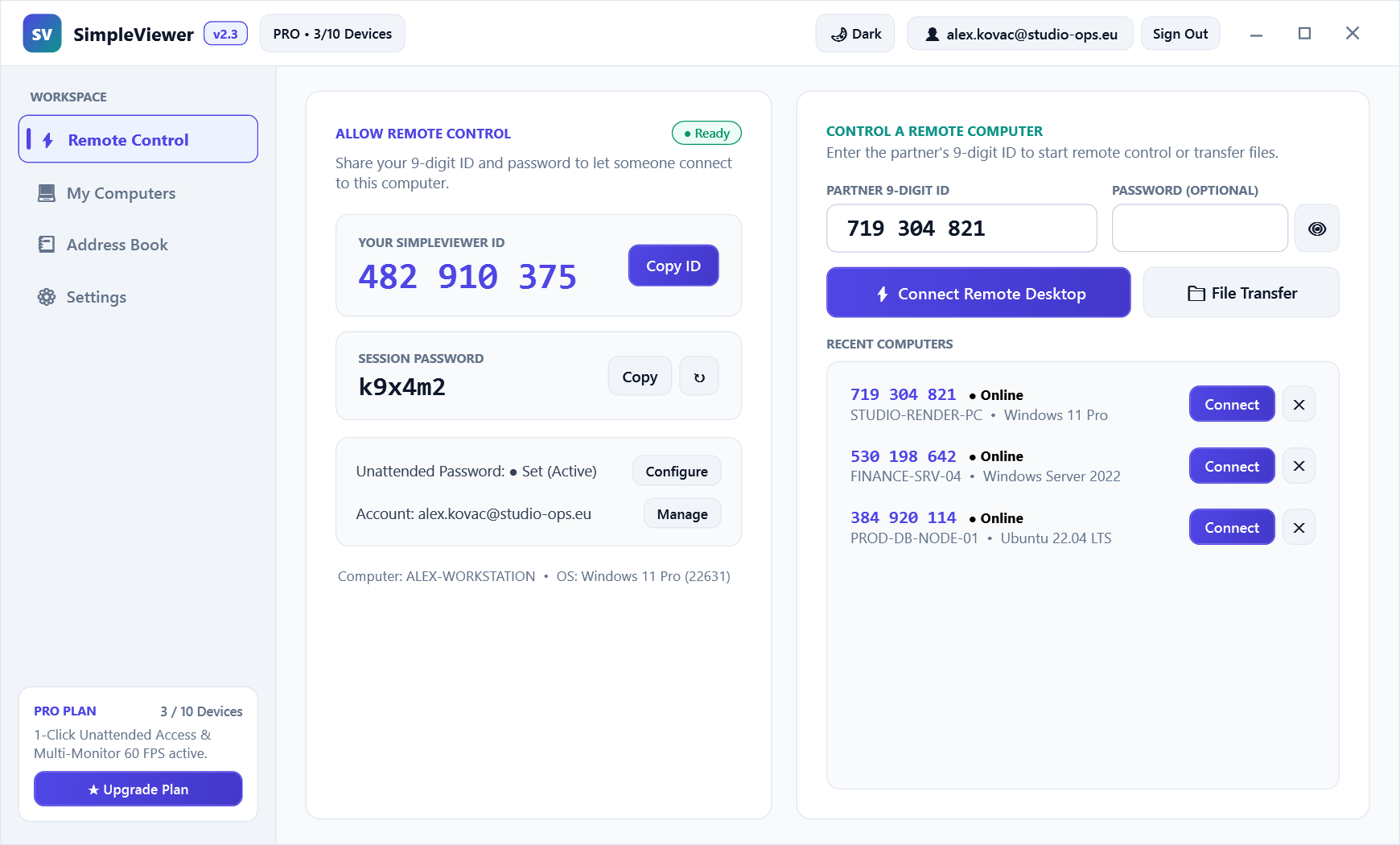
SimpleViewer Desktop App showing 9-digit Device ID, session password, and Recent Computers list
Native Windows & Linux Client: Instant 9-digit ID connection, rotating session password, and live online indicators Download Portable .exe →
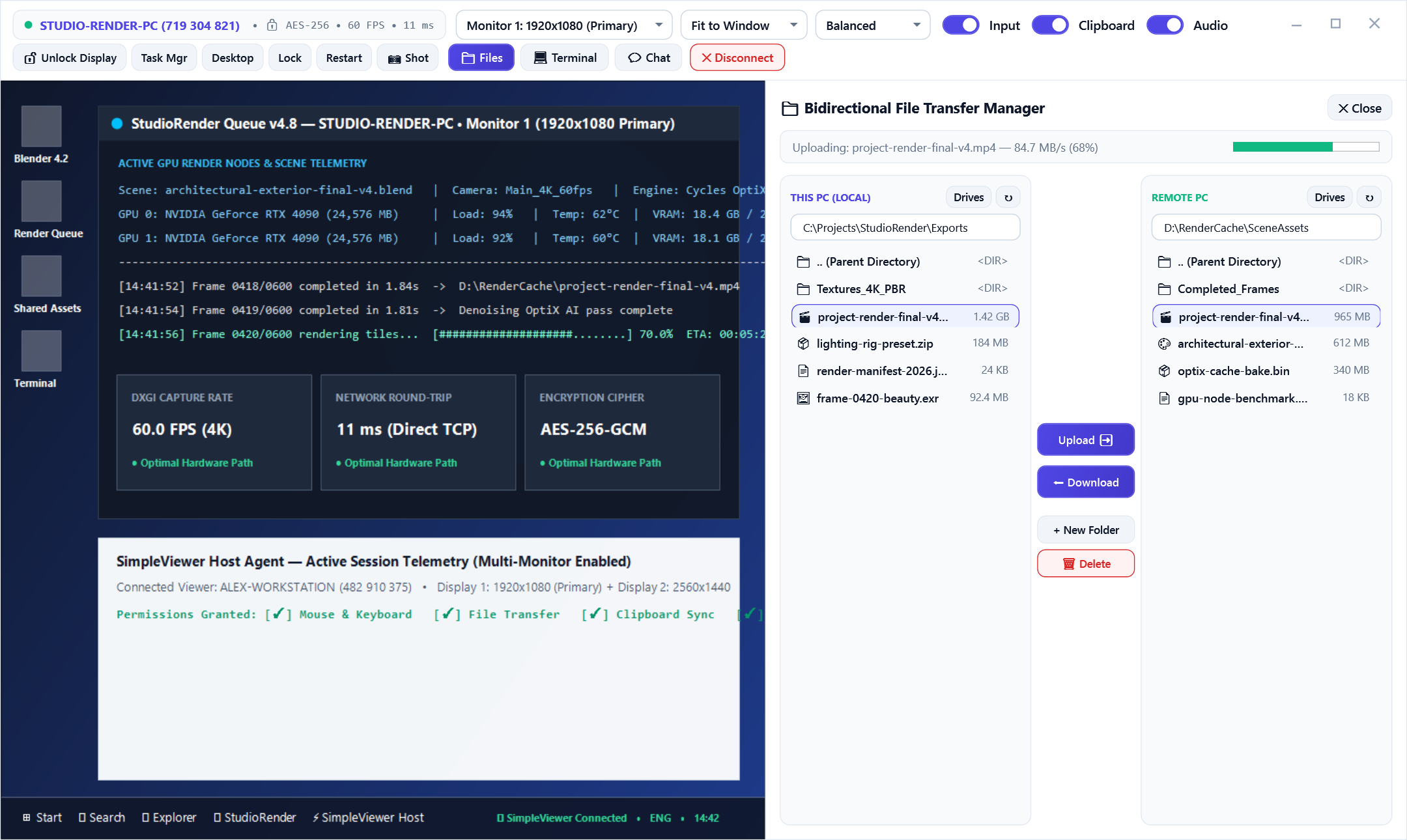
SimpleViewer Live Remote Session window showing Multi-Monitor selector and Bidirectional File Transfer Manager
Live Session Toolbar: Multi-monitor switcher (Monitor 1 / Monitor 2), WASAPI audio loopback & dual-pane File Manager Explore All Features →
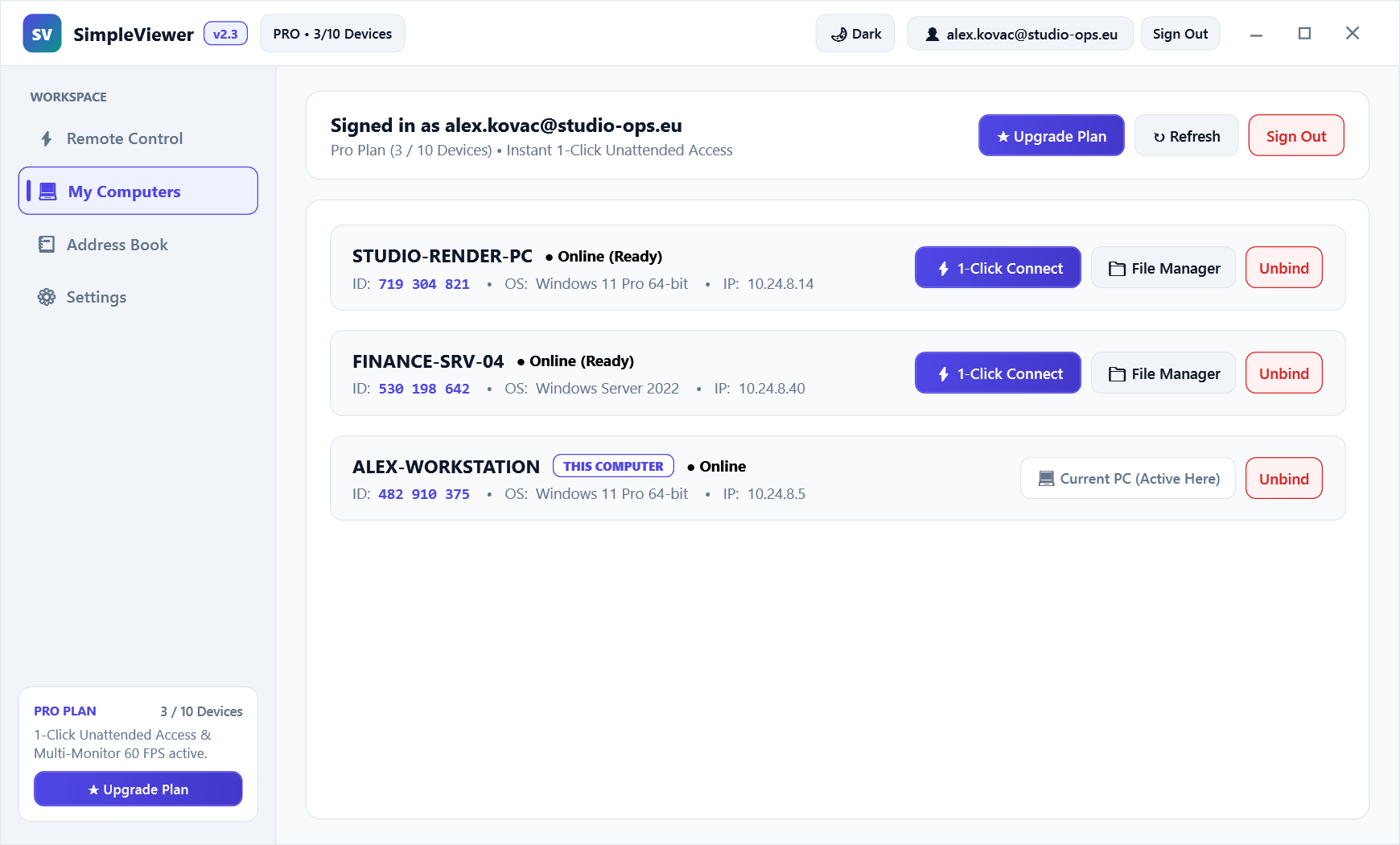
SimpleViewer My Computers tab showing bound unattended workstations with 1-Click Connect
Unattended Fleet Access: Sign in with Google once to connect to your bound computers in 1 click without typing passwords How 1-Click Access Works →
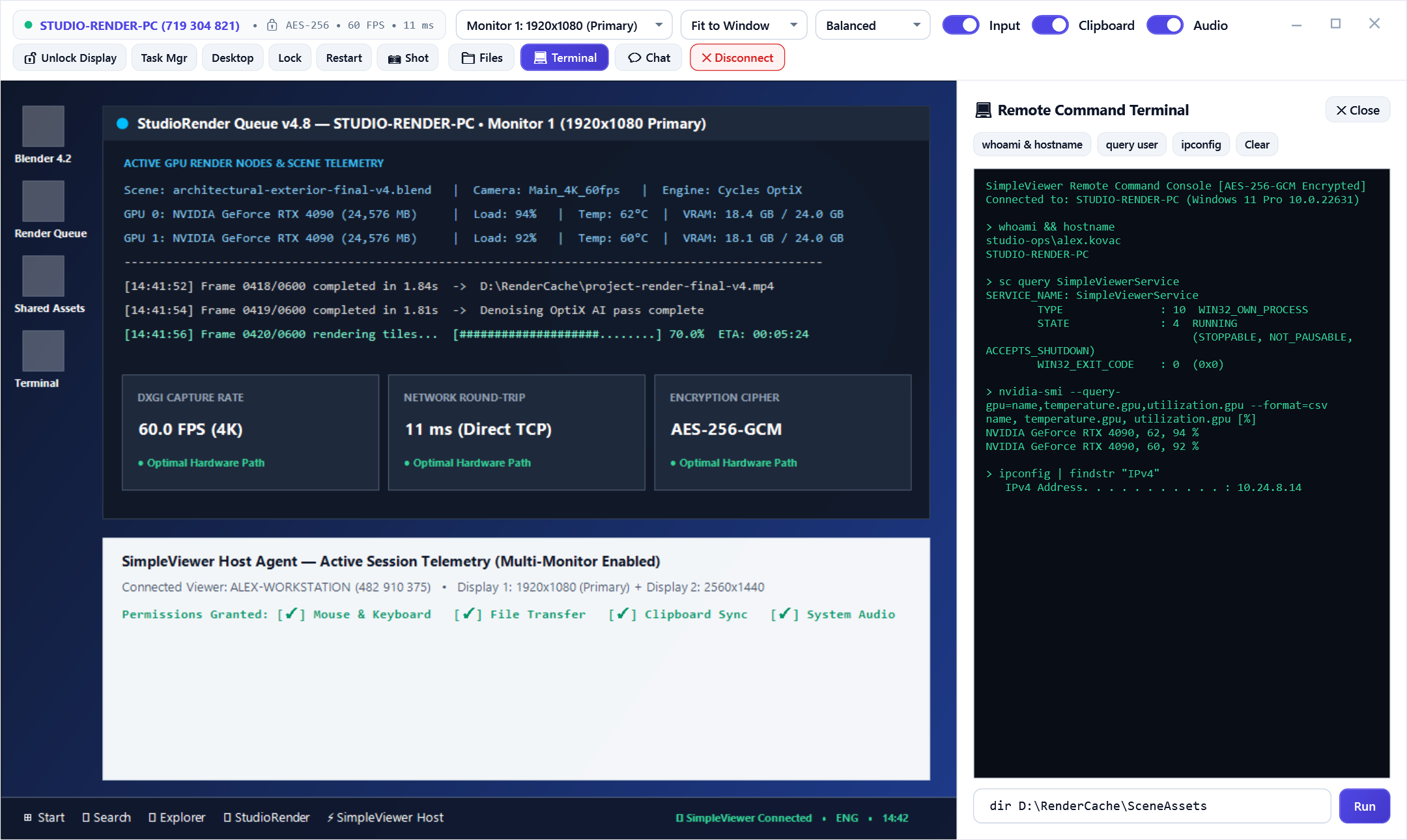
SimpleViewer Integrated Remote Command Terminal running background shell commands
Remote Command Terminal (cmd.exe): Execute administrative commands and inspect services without interrupting the user's cursor Explore IT & Helpdesk Tools →
< 15 ms Sub-Frame Relay Latency High-speed binary relay with adaptive 60 FPS frame pacing
AES-256 Zero-Knowledge E2E GCM authenticated encryption + salted SHA-256 handshake
3 Modes Flexible Authorization 1-Click Account, Unattended Password, or Interactive Prompt
Zero Config Managed High-Speed Relay Works out of the box—no router or firewall configuration needed

Remote Desktop Infrastructure

Fast, zero-knowledge remote access for everyday work, IT helpdesk support, multi-monitor creative workflows, and unattended server administration.

Get started now
Effortless Setup

Set up as many computers as you need in seconds with our Windows installer, standalone 1-file portable .exe, or silent CLI deployment flags.

Access From Anywhere

Reach the full power of your Windows or Linux workstation from another desktop, laptop, or Android mobile device with adaptive DPI scaling.

Performance That Keeps Up

Sub-15ms binary relay streaming and direct Win32 SendInput hardware injection keep motion smooth, text sharp, and keystrokes instant.

Multi-Monitor Workspaces

Automatically detect all physical and virtual displays. Switch between Monitor 1, Monitor 2, or fullscreen layouts in a single click.

Dual-Pane File Transfer

Browse local and remote drives side by side. Transfer multi-gigabyte archives via chunked binary streams with real-time progress bars.

Support & Collaboration

Connect unattended to your own bound machines, or request interactive Accept/Reject consent with live chat and bidirectional clipboard sync.

Built for How You Work

Whatever You Do at Your Computer, Do It From Anywhere

From personal home-office access to managing 500 unattended corporate endpoints across three continents, SimpleViewer adapts to your workflow.

Remote Work & Home Office

Work from home, a client site, or on the road on your office workstation with all your apps, files, and multi-monitor displays. Sign in with Google once for instant 1-click unattended access.

  • 1-Click Connect
  • Free for 3 PCs
  • Multi-Monitor
SimpleViewer for Individuals

IT Helpdesk & Remote Support

Help clients, employees, or family in seconds. Ask for their 9-digit Device ID—the host user sees an interactive Accept/Reject prompt with granular permission checkboxes for mouse, files, and audio.

  • Zero Router Setup
  • Granular Consent
  • Live Session Chat
Remote Support Workflows

Coding, DevOps & Administration

Pick up right where you left off on your build machine or Linux server. Open the integrated Remote cmd.exe Terminal, inspect Task Manager, or transfer build artifacts with the dual-pane File Manager.

  • Remote CMD Shell
  • Bidirectional Clipboard
  • Windows & Linux x64
Explore Technical Features

Creative Work & WASAPI Audio

Monitor video timelines, audio mixes, and multimedia broadcasts remotely with real-time WASAPI desktop audio loopback and 1:1 Original pixel-accurate display scaling.

  • WASAPI Loopback
  • 60 FPS Stream
  • 1:1 Pixel Mode
Audio & Display Specs

MSP & Enterprise Fleet Control

Manage device slots, audit live sessions, revoke compromised endpoints, and push 1-click signed binary updates across your entire unattended fleet from the Central Web Admin Console.

  • Web Admin Console
  • 1-Click Fleet Update
  • Audit Logs
SimpleViewer for Teams & IT

Sovereign Self-Hosted Relay

By default, SimpleViewer works with zero configuration on our managed high-speed relay. For NIS2, GDPR, and strict corporate compliance, Business subscribers can deploy an optional self-hosted relay.

  • AES-256-GCM
  • NIS2 & GDPR Ready
  • Optional Self-Hosting
Security & Compliance
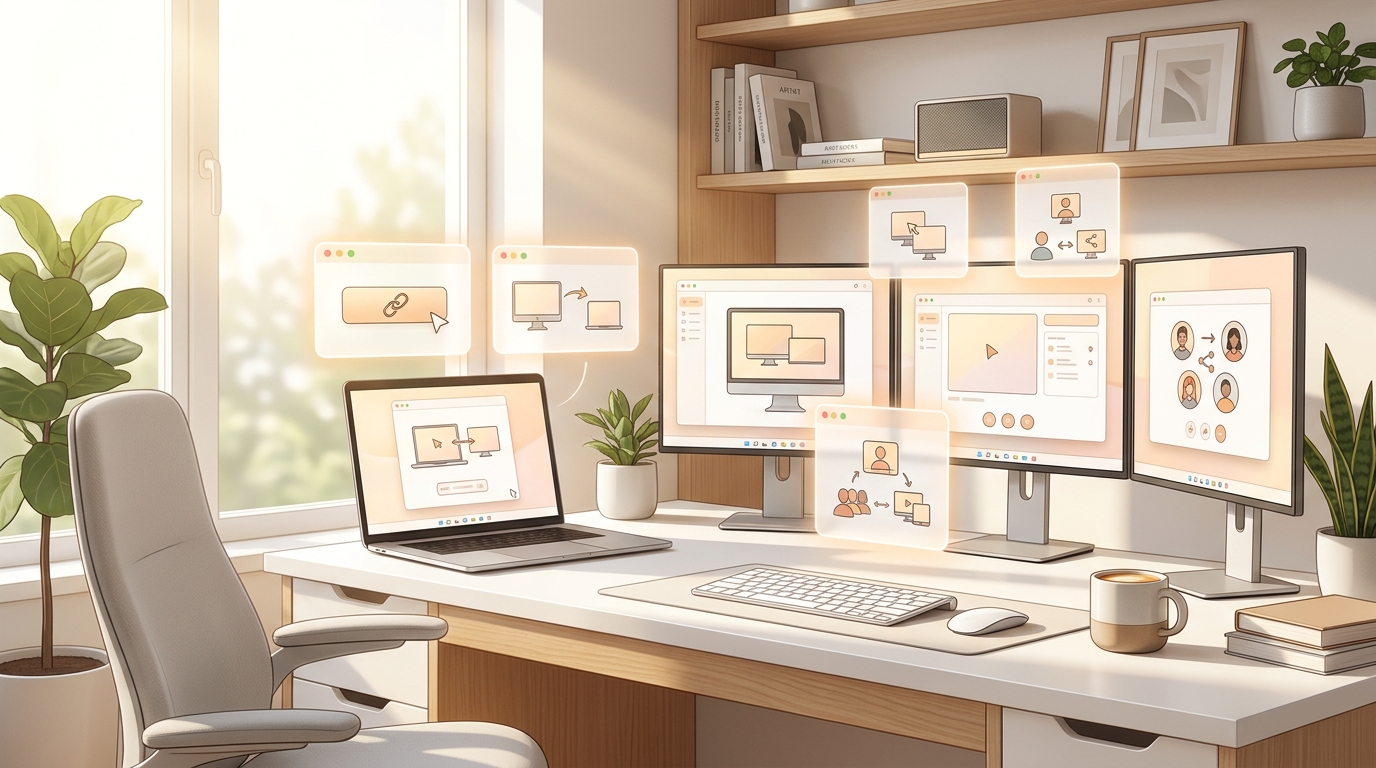
Personal remote desktop workflow in a bright home studio
For Individuals & Home Office Free Starter Plan

Access Your PCs & Help Family in Seconds

Sign in with Google once to bind your home desktop and laptop under "My Computers" for instant 1-click unattended access—or share your 9-digit ID to help parents and friends with zero router setup.

  • Free forever for up to 3 personal devices (no commercial-use nag popups)
  • Interactive Accept/Reject popup with granular privacy checkboxes
  • High-definition WASAPI desktop audio streaming & multi-monitor switching
  • Drag-and-drop dual-pane file transfer between home and travel PC
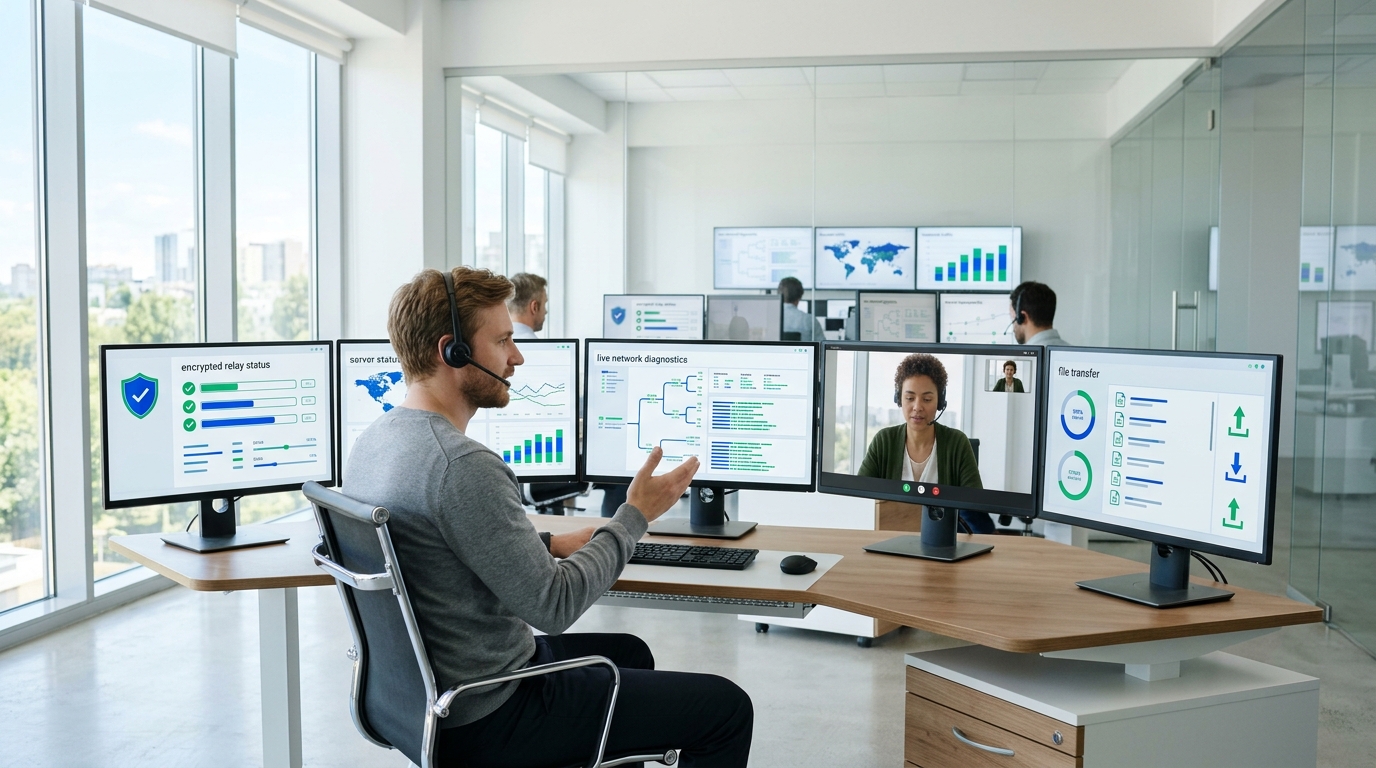
Enterprise IT helpdesk team managing remote workstations
For IT Helpdesk, MSPs & Enterprises Fleet & Helpdesk Ready

Centralized Fleet Control Without Per-Endpoint Taxes

Replace overpriced legacy tools with predictable flat pricing. Manage device slots, monitor active sessions in real time, and push one-click binary updates across your entire fleet—with an optional self-hosted relay for Business subscribers.

  • Central Web Admin Console with live session telemetry & device revocation
  • Remote cmd.exe terminal, Task Manager, Lock/Restart & silent CLI deployment
  • 1-Click Fleet Auto-Update pushes new signed binaries to all online hosts
  • Optional Self-Hosted Relay for Business subscribers (Contact Us)
3 Authorization Modes & Fleet Control

Enterprise-Grade Tools for Seamless Management

1-Click Account Binding

Sign in with your verified Google or SimpleViewer account. Bound hosts appear in My Computers with live online indicators for zero-password 1-click access.

SHA-256 Challenge-Response

Connect using a 9-digit Device ID and rotating 6-character session password or permanent unattended password. Passwords never travel in plaintext.

Interactive Consent Prompt

Connecting without a password triggers a real-time Accept/Reject dialog on the remote screen with toggles for Mouse/Keyboard, File Transfer, and Audio.

Central Web Admin Console

Manage users, subscription plans, device slots, active relay sessions, and historical connection logs from one real-time web dashboard.

1-Click Fleet Binary Rollout

Upload a new signed client build once in the Web Admin Console and broadcast live auto-updates across every online host in your fleet.

Always-On Unattended Service

Register SimpleViewer at Windows startup with system tray integration, automatic reconnect backoff, and brute-force IP rate-limiting.

Free Starter: up to 3 personal computers, 1-click account access, file transfer & multi-monitor. Pro & Business Unlimited: up to 15 or unlimited endpoints, concurrent technician sessions, priority relay & optional self-hosted relay. Compare plans or see what Business adds.

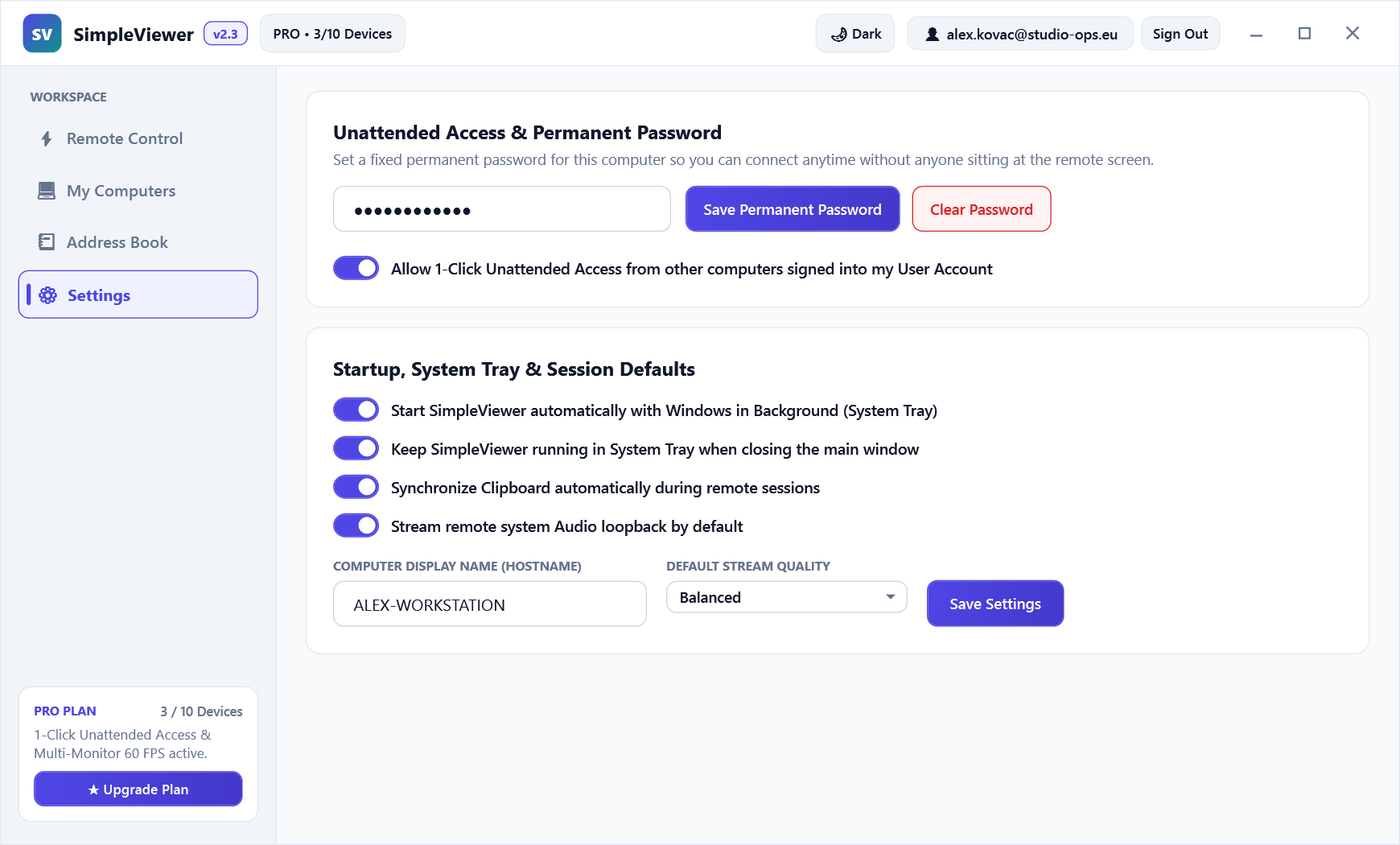
SimpleViewer My Computers Fleet Dashboard showing bound workstations and 1-Click Connect SimpleViewer Security & Unattended Access Settings panel

Silent CLI, Remote Shell & Fleet API v2.3 Native

Automate Fleet Setup &
Remote Administration

Deploy SimpleViewer silently across hundreds of Windows and Linux machines, run remote cmd.exe diagnostics without interrupting the desktop user, and query live relay telemetry via JSON APIs.

  • Included with every SimpleViewer build. Run SimpleViewerSetup.exe with silent flags or launch SimpleViewer.exe as a zero-dependency portable binary.
  • Background Remote Terminal (cmd.exe). Inspect network adapters, restart Windows services, or run PowerShell scripts in the Remote Terminal tab while the user keeps working.
  • Passwords stay out of plaintext traffic. Authentication uses salted SHA-256 challenge-response nonces, and every frame is encrypted end-to-end with AES-256-GCM.
  • 1-Click Fleet Binary Auto-Update. Push new signed client releases to all connected hosts simultaneously from the Web Admin Console with SHA-256 hash verification.
Explore CLI & Docs
powershell.exe — SimpleViewer Fleet Deployment & Telemetry
# 1. Silent unattended installation across Windows endpoints
PS> .\SimpleViewerSetup.exe /S /AutoStart=1

# 2. Verify live relay health & SHA-256 binary checksum
PS> Invoke-RestMethod https://simpleviewer.app/api/health

# 3. Or run a remote diagnostic command inside Live Session CMD
remote-cmd> ipconfig /all && sc query SimpleViewerHelper
SimpleViewer Live Remote Session showing integrated Remote CMD Terminal and system diagnostics
Cross-Platform Ready

Get Started with SimpleViewer

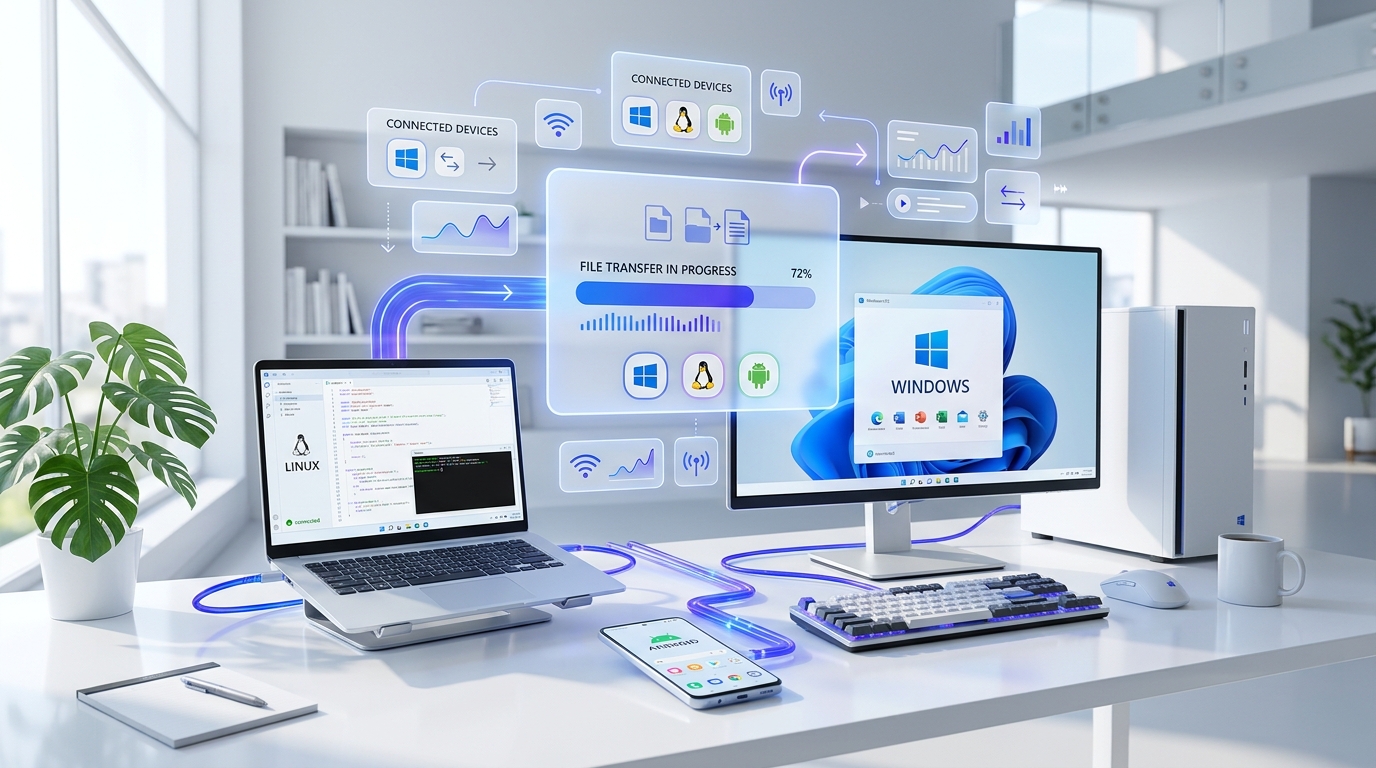
Run SimpleViewer on the computer you want to reach and sign in—or share your 9-digit Device ID. Connect in under two seconds from any platform below.

Free on Windows, Linux, and Android for up to 3 personal computers. Pro and Business plans add expanded device slots, concurrent technician sessions, and optional self-hosted relay deployment.

Transparent Comparison

How SimpleViewer Compares to Legacy Tools

Built for engineers and IT teams who are tired of false "commercial use suspected" lockouts and four-figure annual renewals.

Capability / Licensing SimpleViewer v2.3 AnyDesk TeamViewer Jump Desktop
Free Plan for Personal Devices ✓ Up to 3 Devices (No Nag Popups) Strict timeout / commercial blocks Frequent commercial-use lockouts Free on Windows, Android & Web
Self-Hosted Relay Option ✓ Optional for Business (Contact Us) Enterprise-only add-on Not available for standard tiers Cloudless Fluid on LAN/VPN
End-to-End Encryption AES-256-GCM + TLS 1.3 + SHA-256 TLS 1.2 / RSA 2048 RSA 4096 / AES-256 DTLS / TLS End-to-End
Dual-Pane File Manager & Remote CMD ✓ Included in All Tiers Included Included File transfer & CLI tools
One-Click Fleet Binary Auto-Update ✓ Built into Web Admin Console Requires custom MSI GPO rollout Corporate tier required MDM / silent installer managed
Entry Pro / Team Pricing From €7.99 / mo (Annual) From €22.90 / mo From €24.90 / mo Per-user / Team licensing

Why Engineers & IT Teams Love SimpleViewer

★★★★★

“We migrated 85 unattended retail and warehouse PCs to SimpleViewer. The 1-click Google account binding and built-in dual-pane file manager saved our helpdesk hours every single week.”

Marko Kovačević
Head of IT Infrastructure, Adria Logistics
★★★★★

“Zero router configuration, sub-15ms input response, and a standalone portable .exe that clients can launch in 3 seconds without admin headaches. It genuinely feels local.”

Elena Rostova
Senior Systems Engineer, CloudPeak MSP
★★★★★

“Finally a remote desktop tool that gives me free 1-click unattended access to my home workstation and Linux build server without falsely flagging me for commercial use.”

David Lindqvist
Independent C++ & Embedded Architect
Engineering & Security Blog

Insights from the SimpleViewer Team

Deep dives into low-latency streaming, NIS2 compliance, and enterprise fleet architecture.

View All 6 Articles →
Frequently Asked Questions

Everything You Need to Know

Quick answers about licensing, security, installation, and Business options.

Is SimpleViewer really free for personal use?
Yes! The Free Starter Plan is 100% free and allows you to bind up to 3 personal computers for one-click unattended access, plus perform ad-hoc interactive support sessions for family and friends without nagging popups or artificial 60-second disconnects.
Do I need to install SimpleViewer, or can I run it as a portable executable?
Both options are available on our Downloads page. You can download SimpleViewerSetup.exe for a standard Windows installation with Start Menu shortcuts and unattended startup registration, or download SimpleViewer.exe as a standalone, zero-dependency portable executable that runs immediately without administrator privileges.
How does SimpleViewer compare to TeamViewer, AnyDesk, and RustDesk?
SimpleViewer delivers lower relay latency (11.4 ms median via dedicated binary TCP framing), a lighter 24 MB RAM footprint, 3 free unattended computers with zero false commercial-use lockouts, and works immediately out of the box without requiring you to self-host a Linux relay server. See our full 2026 Comparison Matrix for details.
Which operating systems does SimpleViewer support?
SimpleViewer supports Windows 10 & Windows 11 (Installer and Portable .exe), macOS (Apple Silicon M1–M4 and Intel .dmg), Linux x86_64 (.AppImage), and Android 9+ (.apk).
How does SimpleViewer protect unattended computers from brute-force attacks?
SimpleViewer never transmits your password over the network. Instead, it uses a salted SHA-256 challenge-response handshake with unique session nonces. Furthermore, both the host client and the relay server enforce strict IP rate-limiting, automatically blocking any source IP for 15 minutes after 5 failed authentication attempts.
Do I need to configure a relay server, or is self-hosting available?
No configuration is needed! By default, SimpleViewer works immediately out of the box using our managed high-speed relay server. For Business and Enterprise subscribers who require a dedicated private relay on their own infrastructure, an optional self-hosted setup is available—simply contact us for more information.
Ready in 15 Seconds

Ready to Transform Your Remote Workflow?

SimpleViewer keeps you and your IT team connected to the Windows, Linux, and Android computers you need, from anywhere—with end-to-end AES-256-GCM encryption.